IPTV Smarters Failed To Authorize: Setup, Features & Troubleshooting Guide (2026)
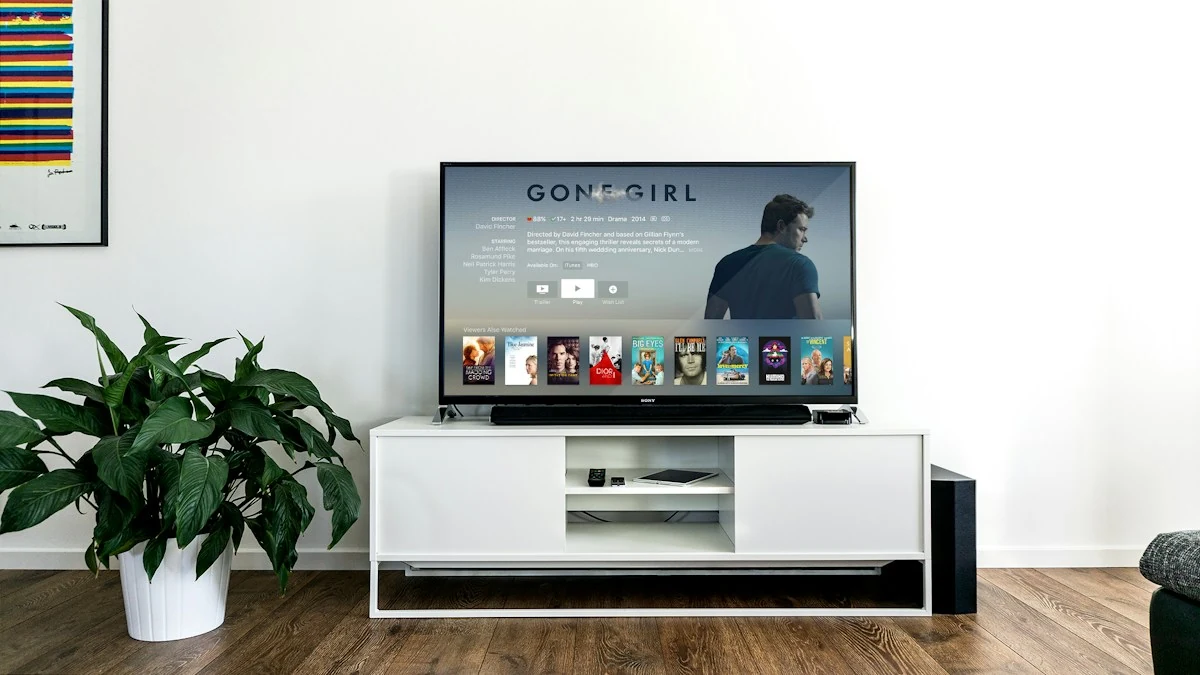
When streaming television over IP, your media player application represents the frontline user experience. Choosing and configuring iptv smarters failed to authorize correctly transforms raw M3U streams and Xtream Codes credentials into a polished, cable-like interface with instant channel zapping, synchronized EPG guides, and multi-screen capabilities.
Whether you are configuring your setup for the first time or encountering technical hurdles with failed to authorize iptv smarters, understanding player architecture ensures smooth 4K 60fps playback. In this 2026 comprehensive manual, we break down optimal audio-video decoder settings, cache tuning, and proven resolutions for iptv smarters across Firestick, Android TV, and Apple devices.
Key Technical Takeaways
- Xtream Codes API Integration: Connects directly to IPTV servers, automatically categorizing live channels, movies, and TV series with real-time EPG sync.
- Hardware Decoding Acceleration: Toggling hardware decoders (HW / HW+) eliminates stuttering and reduces CPU strain on compact streaming sticks.
- Buffer Size Customization: Setting buffer caching between 2,500ms and 3,500ms prevents micro-buffering during high-traffic sports events.
- Multi-Screen Multiview: Stream up to 4 live sports games simultaneously on compatible hardware like the Fire TV Stick 4K Max or Apple TV 4K.
Key Architecture & Features of Iptv Smarters Failed To Authorize
Top-tier IPTV applications like iptv smarters failed to authorize incorporate advanced features designed for power viewers:
- Dynamic EPG XMLTV Engine: Automated electronic program guide ingestion that parses program titles, start/end timestamps, channel logos, and episode descriptions into a fluid grid layout.
- Dual Player Engine (ExoPlayer & VLC): Switch between ExoPlayer (optimized for low-latency live HLS/TS streams) and VLC Media Player engine (optimized for high-bitrate MKV/MP4 on-demand movies with external subtitles).
- Catch-Up & Recording (PVR): Access past broadcasts up to 7 days retroactively on supported server channels, or record live feeds directly to internal storage or USB flash drives.
- Parental Control & Category Management: Password-protect adult categories, reorder channel groups, and hide unused international packages to streamline daily browsing.
Hardware & Feature Comparison Matrix
| Player Feature | Basic Free Player | Iptv Smarters Failed To Authorize (Optimized Setup) |
|---|---|---|
| Login Methods | Plain M3U file only | Xtream Codes API, M3U URL, MAC Portal |
| EPG Guide Sync | Manual XMLTV refresh | Automated background synchronization |
| Video Engine | Native Android MediaPlayer | ExoPlayer v2 + VLC Dual Internal Engines |
| Buffer Cache Tuning | Fixed buffer (500ms) | Adjustable buffer (1,000ms – 5,000ms) |
| Multiview (Picture-in-Picture) | Not supported | 2, 3, or 4 concurrent screen split |
| Audio Passthrough | Stereo PCM only | Dolby Digital 5.1 & AC3 Passthrough |
Step-by-Step Installation & Setup for Iptv Smarters Failed To Authorize
Follow these verified instructions to install and configure iptv smarters failed to authorize:
- Download the Application: On Amazon Firestick or Android TV, open the Downloader app and input the official download URL or search for the application directly in Google Play Store.
- Select Connection Type: Open the app and choose Xtream Codes API (recommended over raw M3U for faster loading and categorized VOD).
- Enter Account Credentials: Input your designated Server URL (e.g.,
http://domain.com:port), Username, and Password provided by your service concierge. - Configure Video Decoder Settings: Open Settings -> Stream Format and set it to HLS or MPEG-TS. In Player Settings, select Hardware Decoder (HW+) to leverage your device’s GPU.
- Adjust Buffer & Refresh EPG: Under General Settings, set the buffer size to Medium (3,000 ms). Click Refresh EPG to download the latest channel program listings.
Resolving Common Iptv Smarters Failed To Authorize Errors & Buffer Issues
- ‘Failed to Authorize’ or ‘Invalid Login Details’: Double-check credentials for trailing spaces or capitalization errors. Verify that your subscription pass has not expired and that your active connection limit has not been exceeded.
- Infinite Spinning Wheel / Black Screen on Channels: Switch the stream format from MPEG-TS to HLS in player settings. HLS provides adaptive bitrate handling that recovers quickly from momentary packet loss.
- Audio Out of Sync: Switch the internal audio decoder from Software to Hardware (or vice versa). In TiviMate and Smarters Pro, you can toggle audio offset in 50ms increments directly during playback.
- EPG Not Loading / ‘No Information Available’: Clear the application cache (Settings -> Apps -> Clear Cache), restart your streaming stick, and trigger a manual EPG update.
Frequently Asked Questions (FAQ)
Why does iptv smarters failed to authorize say ‘Failed to Authorize’ when my details are correct?
This error typically occurs if your ISP is throttling server DNS queries, if you typed a trailing space into the password field, or if multiple devices are logged into a single-connection account simultaneously.
Can I use iptv smarters failed to authorize on multiple devices at the same time?
You can install the app on as many devices as you like; however, simultaneous concurrent streaming is determined by your active account connection tier (1, 2, or 3 connections).
What is the best buffer size setting for smooth live TV?
A buffer setting of 2,500ms to 3,500ms (Medium) offers the optimal sweet spot—large enough to absorb minor home Wi-Fi micro-drops without introducing noticeable channel zapping delays.
Start Streaming Today with StreamTV 8K
Ready to elevate your home entertainment? Stop overpaying for restrictive cable contracts. Stream over 35,000 live channels, 250,000+ 4K movies, and every live sports match with zero blackouts.
- 3-Month Pass: $29
- 6-Month Pass: $39
- 12-Month Pass: $54 (Most Popular Option)
- 24-Month Pass (27 Mo Total): $99
Explore Pricing Plans & Packages or test our high-speed network first with a complimentary 24-hour trial via WhatsApp.